Showing posts with label My Systems. Show all posts

Monday, 28 April 2014

Update: Full Watercooling Loop!

I'm finding less and less time to update this nowadays.

Just a few shots first:


Most of the hardware is the same, bar the case! A lovely Corsair Air 540. SLI Titans still remain, this time enclosed in EK waterblocks. Alphacool radiators with Corsair SP120 fans. Some fantastic gaming on it now! GPUs running around 1250MHz 24/7 and never push too much over 45-50ish during gaming. CPU (now with XSPC Raystorm block) doesn't normally head upwards of 60 even when tested!

Friday, 22 November 2013

System Update: TITAN SLI

After the recent price drops both sides have seen, along with the release of the R9 series cards and the 780Ti, there was a wave of people changing up their GPUs.

I managed to snag two Titans in this upgrade bonanza. One is an Asus, the other a Gigabyte.

System looks quite nice now with the glowing green LEDs.


With just an ever so slight bump on the cores, it manage to blast over 21k 3DMark11 score.


I'll be hopefully adding some benchmark FPS tests later on, to perhaps use as a rough point of comparison to when I ran the GTX 680 SLI benchmarks.

Hoping to test games such as WoW, BF4, Crysis 3 and possibly something fairly basic such as Starcraft 2.

Quick specs:
i7 3930K @ 4.2GHz
SLI Titan +100 core (though that never accurately translates)
X79 - UD5
16GB Corsair Vengeance

Wednesday, 30 October 2013

Quick System Update - Samsung EVO 740GB

So, I dropped my RAID Crucial M4 drives. For a few reasons, first because I was quickly running out of storage, but also that didn't do my research and for some reason thought I had 4x Intel SATA3 ports on the board. Due to this I'd have to RAID two drives across the SATA3 ports and stick one drive on the SATA2. Due to potential performance limitations of doing this, plus the large amount of space that would be stolen for RAID overheads, I sold the M4s and bought a single Samsung EVO 740GB drive.

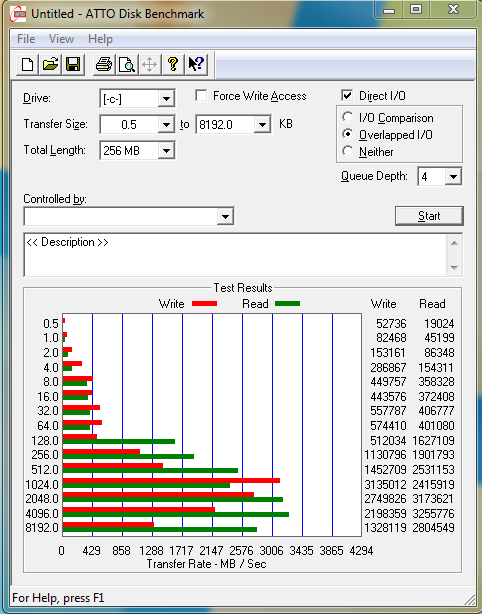
A few of you may know this has a feature called RAPID (Real-time Accelerated Processing of I/O Data), which in effect uses your system RAM as a 'cache' of sorts to buffer the SSD read/writes.

The effect of this is shown as you access the same data several times.

For instance, in a speed test, you can get some incredible figures. These were probably helped by the quad channel memory you have in X79 boards too.


Now I have disabled the RAID controller so bootup time through BIOS is a lot quicker, plus the insane speeds of the drive itself are just fantastic!

Monday, 24 June 2013

New Desk Build

After a lot of deliberation over what I wanted my new desk to look like I decided to have some large pieces of real wood cut to size. I had a large main section done and a long shelf for the screens along with a smaller end section if the other half wanted to join hers onto it. The wood cost me £240. I spent the weekend waxing and staining it with medium stain. Got the legs from B&Q and they weren't bloody cheap either. £98 for 7 of them! Finally a top shelf from IKEA for my world of warcraft server that my little mage started its life on back in vanilla WoW (the best gaming experience I've ever had in my life I think). Then a few LED strip lights to finish it off.

I'm thinking the server at the top needs a bit more lighting but I'm just not sure what I want to do yet.
I'm so flipping pleased with it though! Took me ages to get it all organised and constructed.


Monday, 11 February 2013

X79-UD5 IRST TRIM with RAID0 SSDs in Windows 7

Hi all, just a quick update, to cut a long story short - I developed a problem on booting up since I swapped some drives around.

I swapped the 1TB out and in place put in a 500GB WD drive, setup a RAID0 with the two other 500GB drives and put the 1TB in my new server/HTPC (update to come on this) for remote backup from my main setup.

The problem was my boot times rocketed from around 15 seconds to 1 minute 20 seconds at points. It was a little frustrating especially as I'm running the two RAID0 256GB M4 SSDs. Eventually after a day of working on/reinstalling the OS/swapping drives about, I discovered it was the Marvell drivers having a paddy as, to create the RAID, I'd moved my optical drive onto the Marvell controller. On boot it was hanging for 60s just trying to initialise the DVD drive. Had to create custom event views for it to try and track it all down.

In the process, however, I discovered that on the X79-UD5's new BIOS, there is an option to switch around the Intel Controller's mode. I was presented with two options, either RSTe, or IRST. Now we all know that the new 7 series chipsets support RAID TRIM, however X79 is on the 6 series and was not supported.

Knowing that previously I'd been using RSTe (enterprise version) drivers, I had a dig around and found that if I switched the OROM (option rom) to IRST, I could install the standard version of Intel Rapid Storage Technology. I'm currently running version 11.6.0.1030, which, after a little checking, is now issuing and executing TRIM commands on the RAID0 M4s!

So - hopefully the rest of the motherboard manufacturers will, at some point, be issuing updates to allow this OROM to be switchable, especially as us enthusiasts on X79 won't like to be left out of such luxuries as TRIM, especially considering we are more likely than others to be running RAID SSDs!

Thursday, 23 August 2012

GTX 680 4GB SLI Benchmarks

I've had the opportunity of testing a pair of Palit Jetstream GTX 680 4GB cards in SLI and thought I should share some of the benchmarks and screenshots with you all.

The setup is as follows:

i7 3930K @ 4.2Ghz Cooled by Corsair H100 in Push/Pull
Gigabyte X79-UD5
2 x Crucial M4 256GB in RAID0
2x Palit Jetstream GTX 680 4GB
3x iiyama Prolite 24" E2473HDS screens giving a resolution of 5760*1080

These aren't perfect benchmarks, they were all run for varying amounts of time but in that time I tried to simulate what would be the highest and lowest FPS situations.


BF3 - Operation Guillotine (Max graphics)


Frames Time (ms) Min Max Avg
2464 49412 36 62 49.866


World of Warcraft: Cataclysm (Flight Around Stormwind) [I am running max graphics with about 5 custom settings which advance them beyond what is controllable in the UI]

Frames Time (ms) Min Max Avg
11028 124856 47 214 88.326


Dear Esther

Frames Time (ms) Min Max Avg
7574 56207 110 204 134.752


Elder Scrolls: Skyrim (With texture packs up to 2.8GB and ENB series, Vsynced at 60fps hence max)

Frames Time (ms) Min Max Avg
8292 141952 50 59 58.414


Guild Wars 2

Frames Time (ms) Min Max Avg
3645 79888 32 64 45.626


There are certain games in which it would be silly to benchmark, for example DotA 2/LoL don't run well without Vsync, so with this setup they quite happily sit at 60fps, CS:GO will run anywhere between 140 and 290fps across all three screens. Tera will run at a fairly constant 60fps as well, maybe dropping to 55 occasionally.


Monday, 11 June 2012

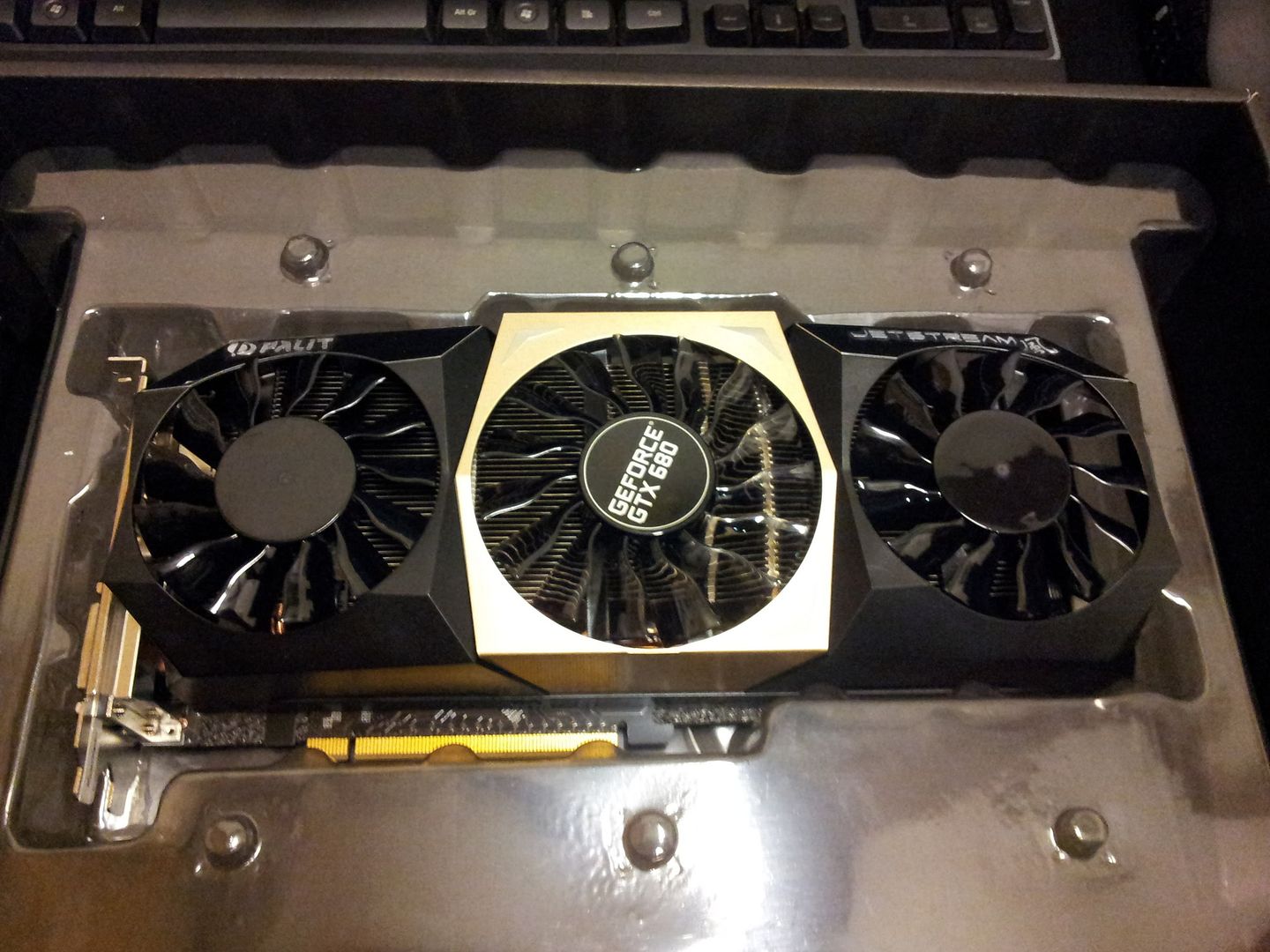
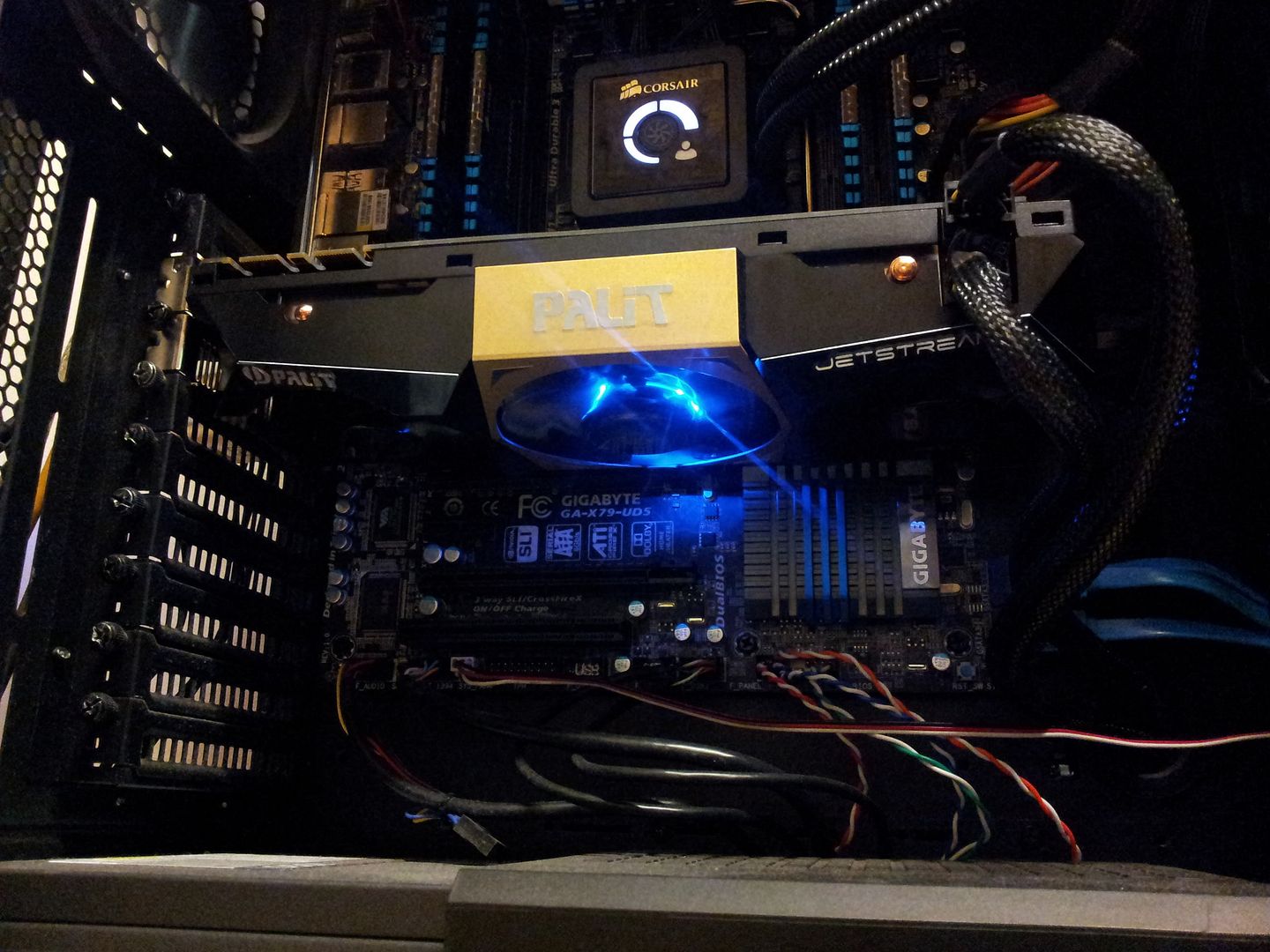
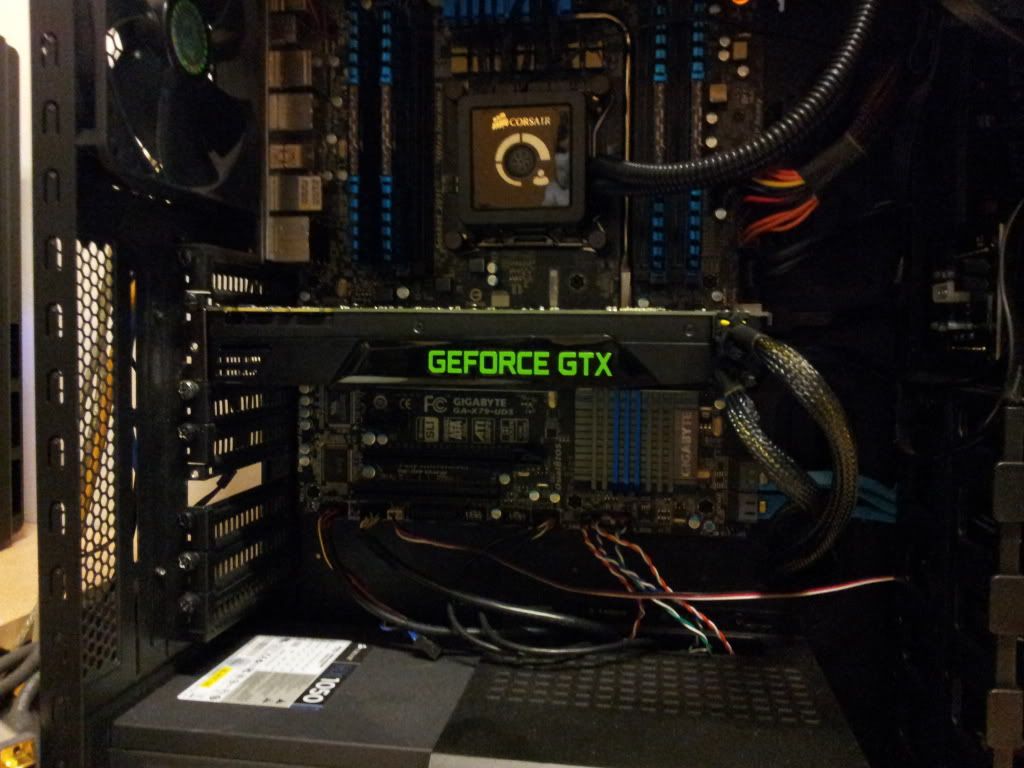
Palit Jetstream GTX 680 4GB Overview


Skyrim was proving incredibly demanding in the VRAM department due to the massive amount of higher definition textures I have installed now. Bearing in mind I'm also running triple 1080p screens the 2GB 680 couldn't handle them.

With the move up to 4GB came a few setbacks, a little less overclocking. The Jetstream does +100 core, the reference 680 did almost +200. That may have given the POV a slight fps boost over the Palit.

Aside from that though, I am very pleased with how quiet this card is, along with obviously the gain in memory size.

Skyrim now registers a decent 2.7GB of VRAM usage and a constant 60fps V-Sync'd.
Diablo III proves no issues for the card either. 60fps V-Sync'd across three screens with GPU usage sat at around 40-50% and temperatures no higher than 48 degrees!


Wednesday, 28 March 2012

nVidia GTX 680 Surround Setup & Summary

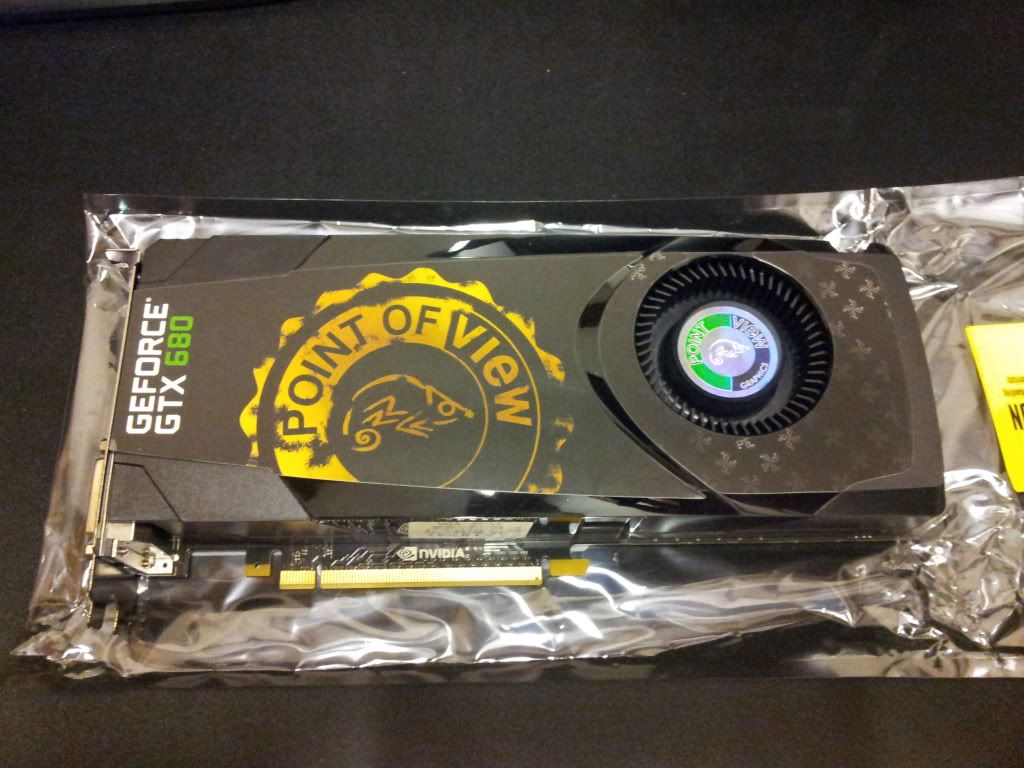
I was lucky enough to bag myself one of the new nVidia Kepler offerings - the GTX 680. It has been a slightly longer wait than expected since putting together the Sandy Bridge E system. I've been sat with three screens but no ability to play surround as the 570 isn't capable of it alone, it requires another running in SLI and unfortunatley my second one failed.

Point of View were the only models in stock


I've been far too caught up in fiddling with the clocks and playing the odd game to sit down an run a long winded benching session, but a few scores are below.

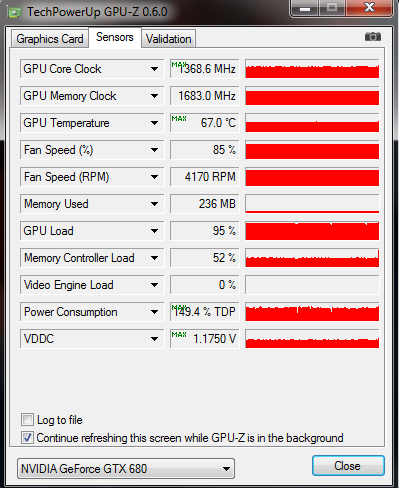
GPUZ showing the highest clocks/temperatures achieved (MSI Afterburner was clocked at +214Mhz core and +360Mhz memory):


3DMark11 scored 10952 P points.

http://3dmark.com/3dm11/3046327;jsessionid=1xso1zmj71y0f13rdzpmbtzxv7


Battlefield 3 Benchmarks running in surround at 5760x1080 resolution:

Ultra Settings (Game used all 2GB of VRAM)

Frames Time (ms) Min Max Avg
3815 141647 21 37 26.933


High Settings (Game used 1.7GB max of VRAM)

Frames Time (ms) Min Max Avg
8198 187708 33 59 43.674

Ultra settings in single player were just about bearable, but an average of 27fps wasn't all that enjoyable. High was just right to play at, only a minimum of 33fps, so I was happy with that across a triple screen setup.

Skyrim isn't really worth mentioning, with everything set to full, official texture pack and the 2K texture pack, it will still return anywhere between 50 and 60 fps (Vsync on) on constant gameplay. I could unlock the vsync and see what more it can give at a later date.

Pics and screenshots to follow!

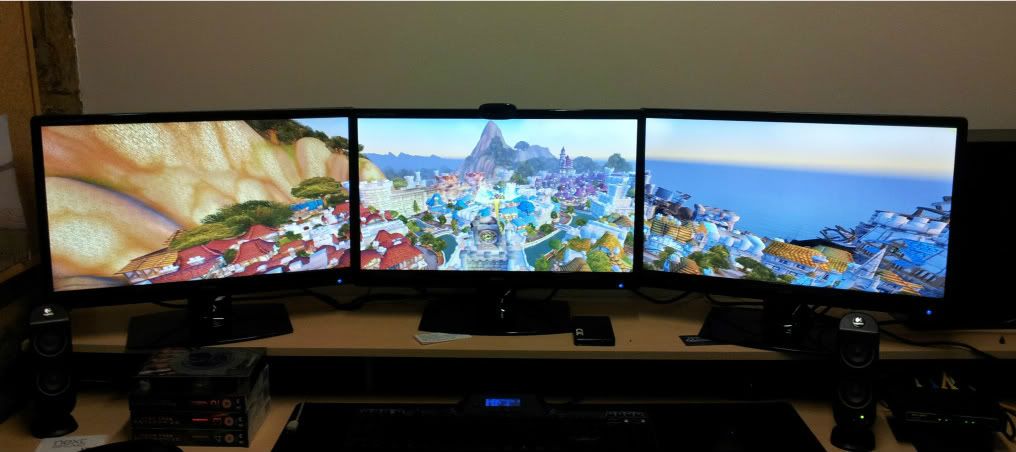
A quick phone snap of WoW spread across the three screens:


UPDATE: 24/7 Clock at +194 core, +500 mem, scored over 11.5K 3DMark11
http://3dmark.com/3dm11/3235185

Friday, 13 January 2012

Dell L702X & ThermalTake Massive 23 Review

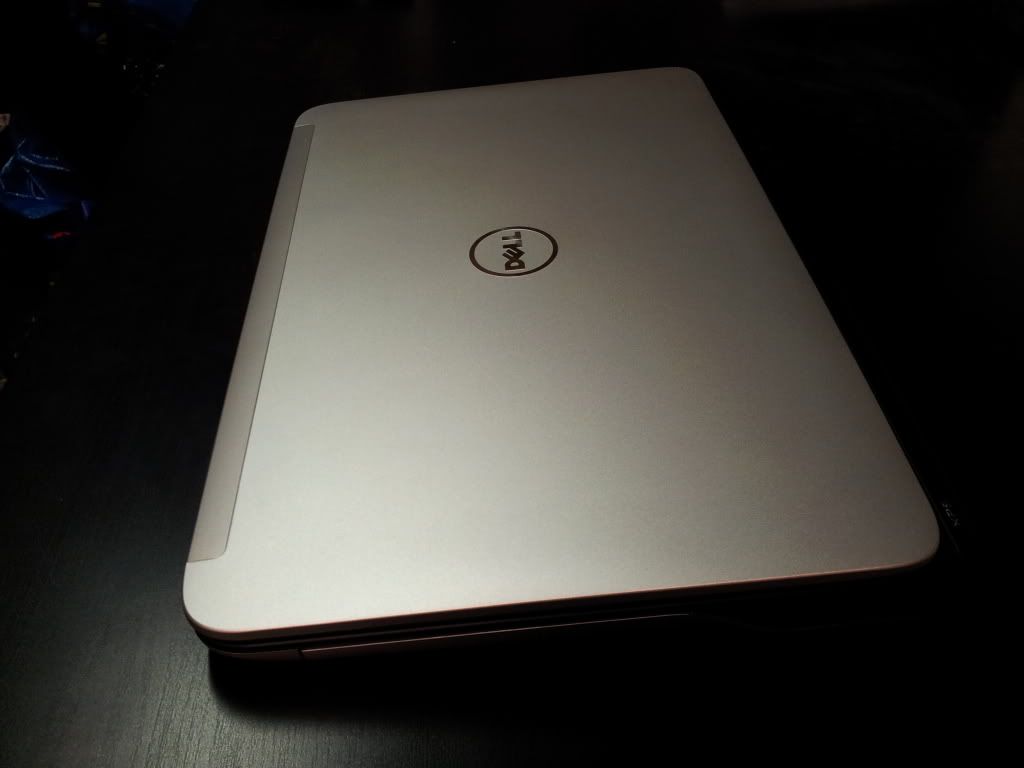
Dell L702x

Right, so I'll give you the premise to this upgrade. I purchased a laptop from Dell in around January 2010, it was a Studio XPS 1645 with an i7 720 and the mobile Radeon 4670. It was a nice looking machine but unfortunately there was an inherent issue with it, when you stressed the computer and more specifically, the CPU, the BIOS would clock back the CPU, so that in the middle of a game, it would drop the clock down to 82%, 66%, 32%, and finally around 15.7%, so I was effectively running a 0.25Ghz i7 dual core... great!

After two years of promises, switching to a 130W adapter and trying countless BIOS updates, nothing would stop this laptop throttling, other than a program called ThrottleStop, but even then it a) only worked half the time and b) I didn't want to run a program every time I used my laptop, as it forced the CPU to 100% and got very hot. End result being an angry email to Dell and they promised to replace the machine for their new L702x model.

Specification

L702x
1920x1080 HD WLED screen
Intel i7 2640M 2.8GHz (3.5Ghz on Turbo)
4GB 1333MHz RAM
(I fitted 8GB Corsair 1333MHz)
750GB 7200rpm SATA 2 HDD
(I added the 64GB Crucial m4)
3GB nVidia GT555M GPU (New revision chip)
Win 7 Pro 64bit
2 Years in house, 3 years collect and return

(I must apologise for the quality of some of the images, I need to sort the lighting out in this room)


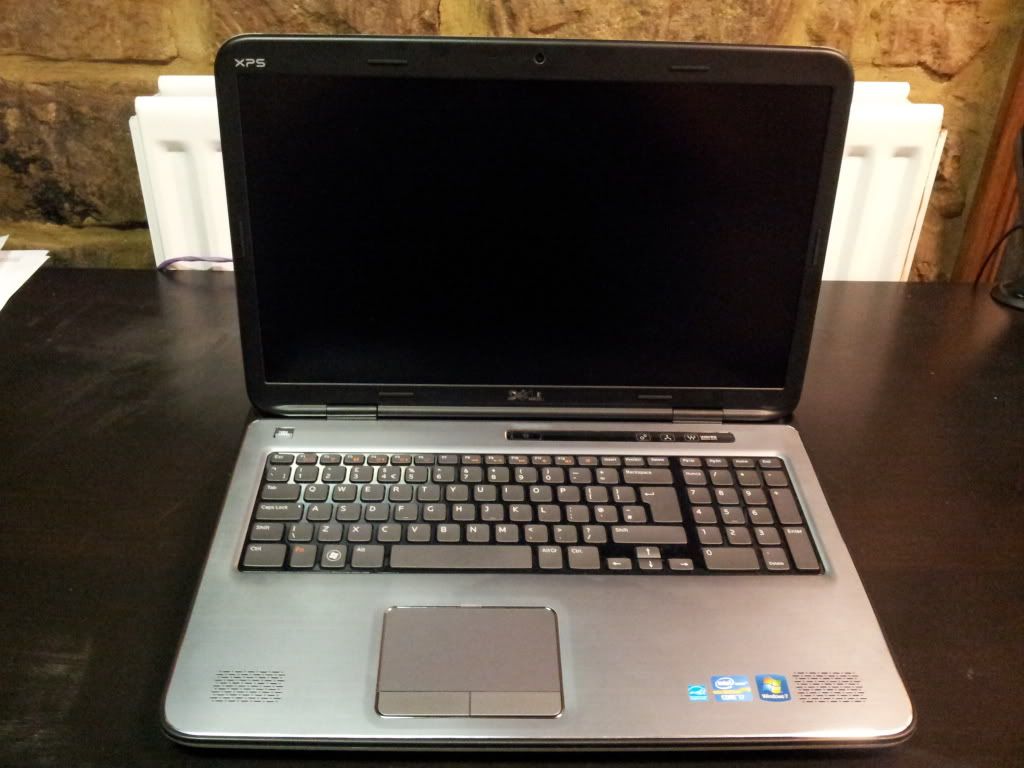
It has a nice exterior design, I still prefer the 1645's looks, but I'm sure this will grow on me

Good sized screen without a ridiculous bezel size. 


Features a backlit Keyboard, complete with numpad. Speakers are JBL, a fairly decent brand.

The package came with installation disks for the OS and drivers/software, the laptop itself and the 150W charger.

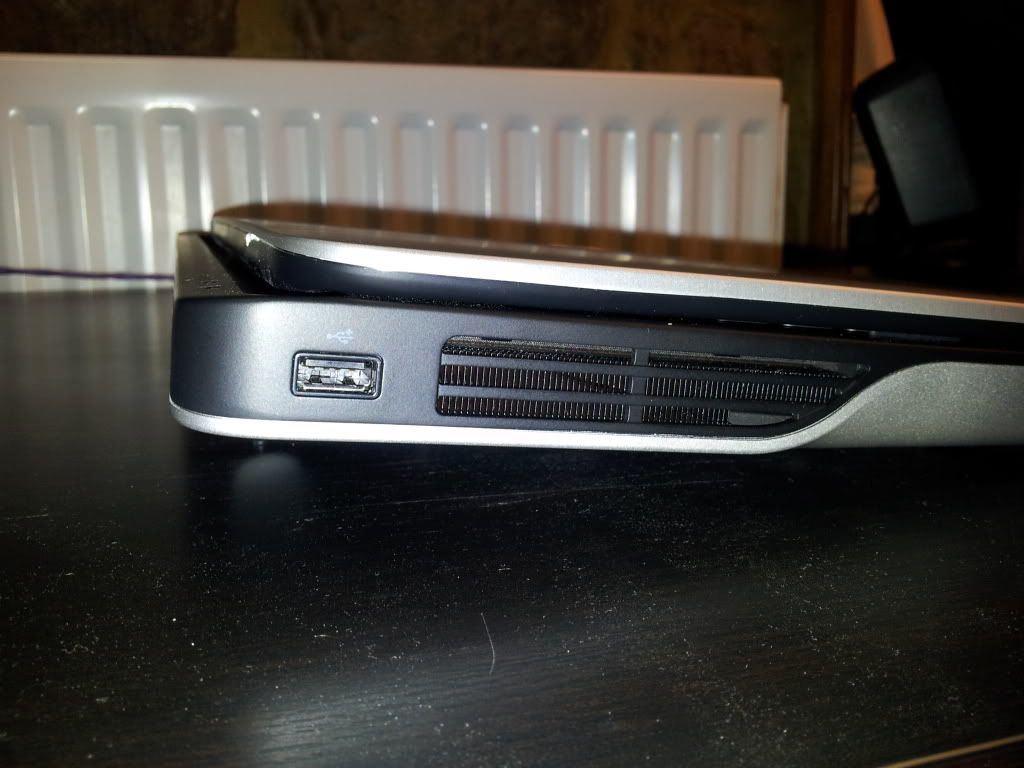
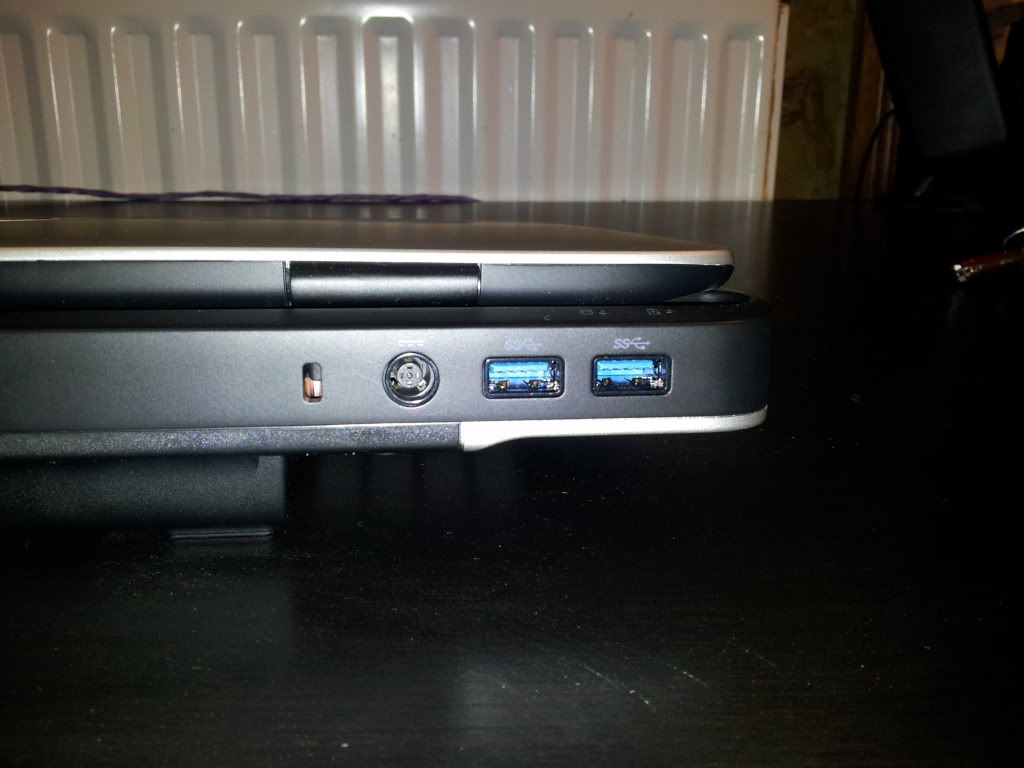
A quick look at the ports first:
On the left hand side there is just the one USB2.0 port as the fan vent takes up the rest
Taking the rear top left corner first, it has the charger slot and 2xUSB3 SS ports
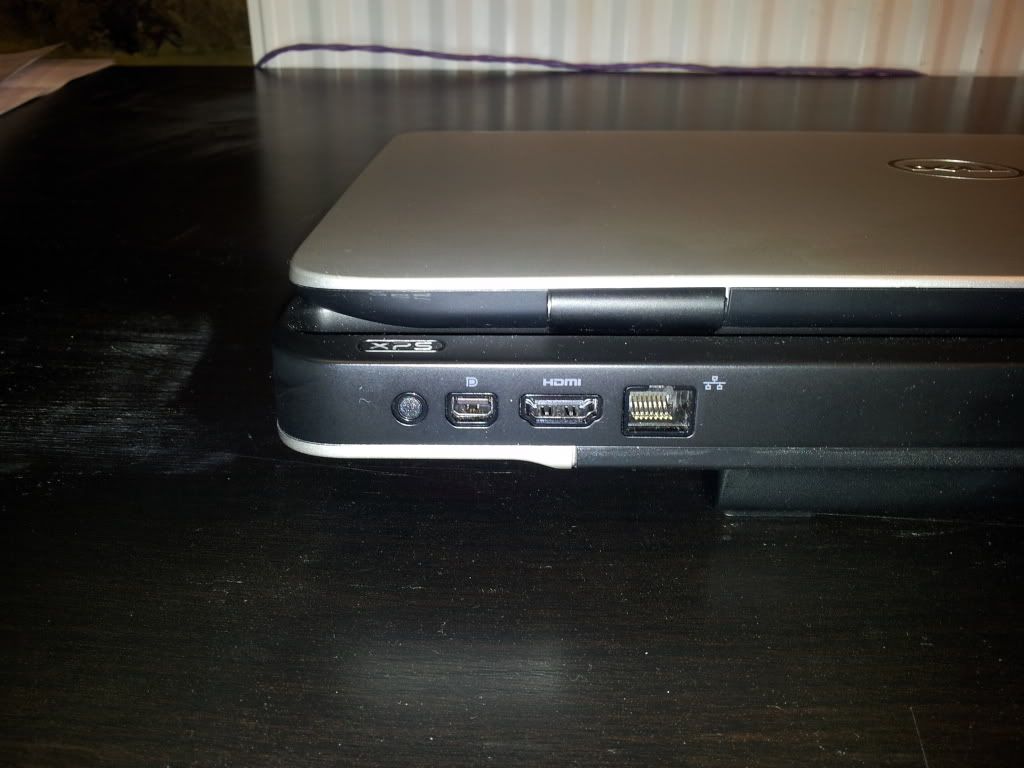
Top rear right corner has what I think is the Infrared sensor, a standard size DisplayPort, HDMI and ethernet port

The first thing I did was to put the 64GB crucial m4 in the second bay, which runs at SATA3 speeds and to replace the 4GB standard RAM with 8GB of the Corsair 1333MHz kit. From this respect I can't comment on how the standard system would have performed but technically it should really only alter loading speeds by changing the drive and RAM.

Now, this machine came with the factory set A14 BIOS, however, there is a known issue due to the BIOS build which will not allow you to reinstall certain drivers due to unrecognised hardware (whether this was just not programmed into the BIOS correctly is anyone's guess, Dell have not rectified it yet). This obviously affected myself as I did a fresh install of Windows to the SSD. The affected drivers were the WavesMaxx Audio, Intel HD3000 graphics driver and the nVidia drivers, I'm still trying to rectify the USB3 driver.

It took a frustrating evening to set up the machine and finally get various programs installed. I did run a few benchmarks as standard and recorded the temperature.

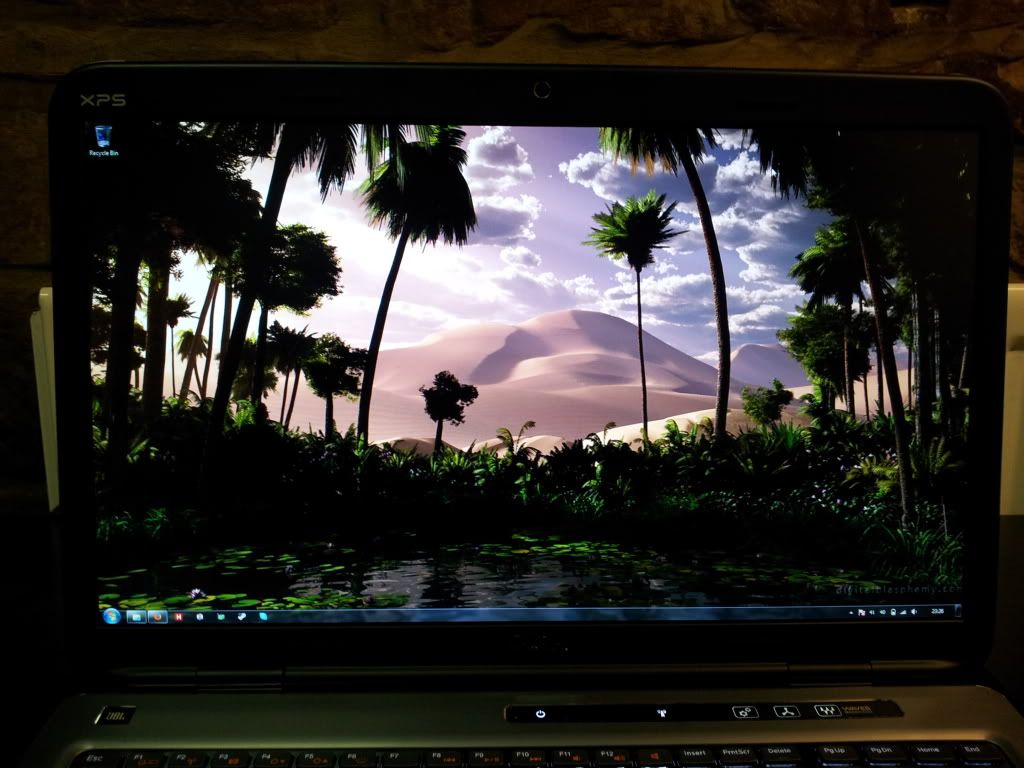
Seems like fairly decent colour reproduction (Thanks to Digital Blasphemy for the background!) - the desktop uses the HD3000 graphics on the CPU


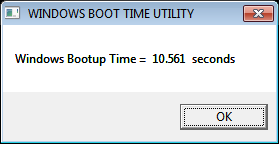
A incredibly fast boot for a laptop of 10.56 seconds, mainly due to the m4

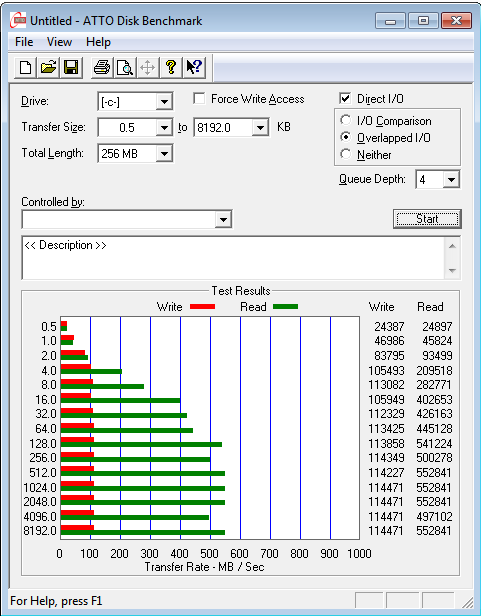
Very good read speeds (552.8MB/s) again, write (114.4MB/s) is only low due to the small size of the SSD (64GB)

Shows mobile processors can do alright in a PCMark test! 14089 score


Most people tend to be using 3DMark06 on the L702x as laptops aren't quite as powerful as desktops, this scores a decent 10684

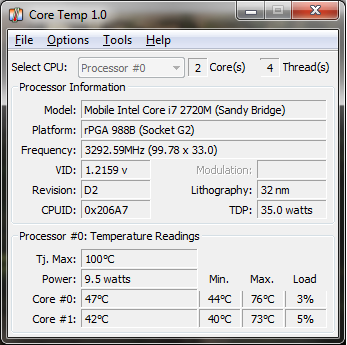
Temps still well within limits there at 74.5 average on load and 42 at idle

It doesn't score too badly on these benchmarks, however the real crux of this laptop is the overclocking potential of the GT555M. As standard it comes at 590MHz core clock with a memory clock of 900MHz, however my MSI Afterburner would push up to a stable 760MHz (can get 770 in benches but sometimes not in games) core and 960MHz memory, though pushing the memory won't give you as large of a gain as the core clock does.

Overclocked

12915 3DMark06 score - a 20.9% increase over stock
7043 3DMark Vantage
1555 3DMark11

As you can see it really did improve the performance in 3DMark06, and after running Vantage and 11 benchmarks didn't do so badly in them for a laptop.

I won't run FPS tests in games as it's not primarily a gaming laptop, more so I at least have the option of playing a game or two when I'm out and about. All I can say is that it runs Skyrim fairly well on medium/high settings on the overclock!
ThermalTake Massive 23

Along with the L702x I also purchased this little piece of kit:


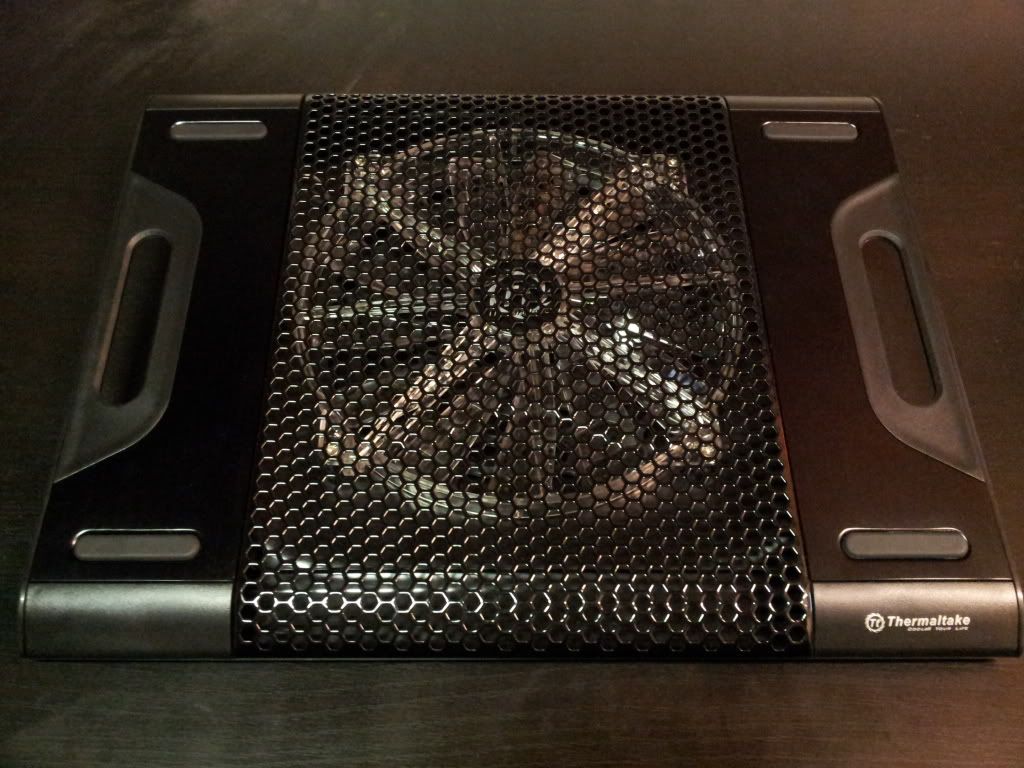
The purpose of it is to provide a decent platform for cooling the laptop, be it on a desk or on your lap. It has four rubber feet to provide extra grip and is very lightweight for its size. A USB2.0 lead is packaged with it, which fits into a small flap at the rear of the fan so you can keep it stored in a safe place.


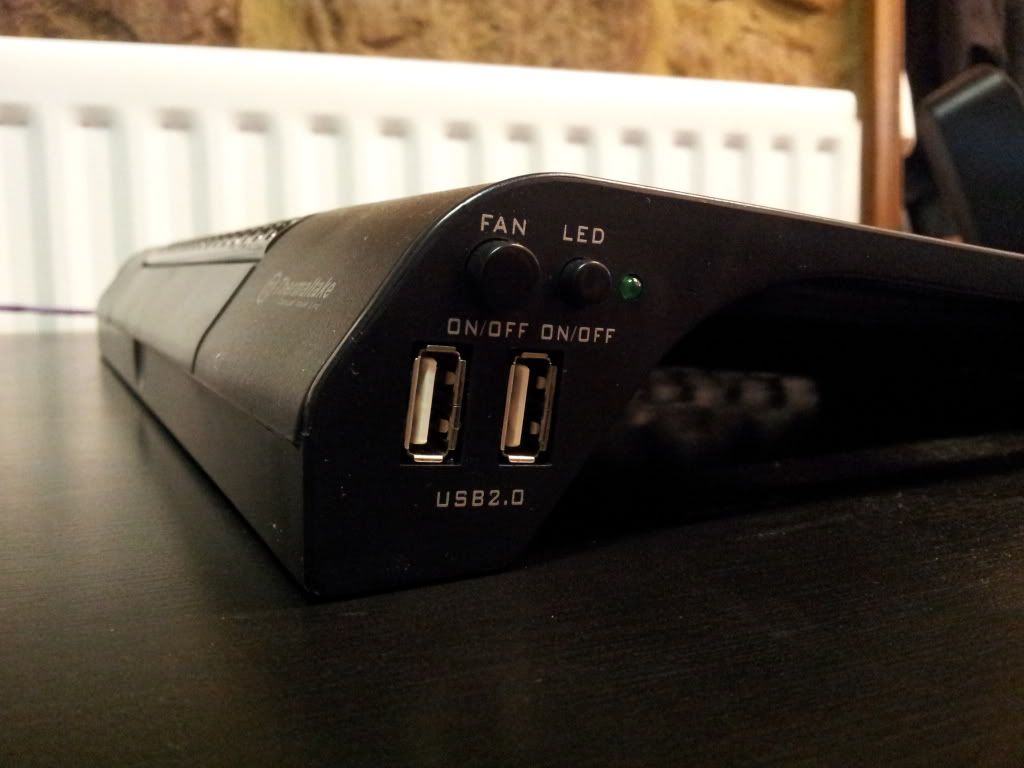
The side panel contains two USB2.0 ports, one for plugging the unit into the laptop, the other as an 'extender' so you don't lose out on the functionality of the port you are using on the laptop. The buttons are quite self explanatory, to turn on and off the LED and the fan.


I'm a fan of blue/black in components generally, as you can tell from my main setup, but I wasn't so sure of the LED on this, I leave it on mostly because it's 'bling' but I still can't scratch the feeling that some LED's can be tacky.

In short, the cooling potential of this varies greatly with the laptop type, as it all depends on where the fan ducts are. If I'm honest, after running a 3DMark11 test, the highest temps reached were only around 2-3 degrees lower than without the unit. So the answer to the question of 'does it do anything?' I would say is yes, it does, but not a great deal. I can imagine it doing more as temps go up, really these CPU's have a TJunction of 100, I think they start to throttle around 95ish, mine only capped at around 75 on load, without the pad.

Test Result Summary

Boot Time: 10.56 seconds
SSD results: 552.8MB/s read, 114.4MB/s write
PCMark Vantage: 14089
Geekbench: 6150
3DMark06:  10684 (Stock), 12915 (Overclocked)
3DMark Vantage: 7043
3DMark11: 1555

Conclusion

The L702x in itself is a fantastic piece of kit. It doesn't look much from the exterior but I'm happy with that. It can take most of the applications and games I throw at it, and run them to a decent standard, especially the games. It will cope with even Skyrim/BF3 on medium settings.

Load speeds are great, very quick to boot and run most day to day programs, primarily down to the SSD I would say though. The standard hard drive isn't so bad though, it's obviously not as quick but I have a few programs/games installed to it and it doesn't do so bad.

One good thing is that it can't take advantage of a 20% price hike because it looks cool and has a certain, *ahem*, extra-terrestrial brand name on it (yes, Alienware, I'm looking at you). Bear in mind that while Dell and Alienware are effectively the same company the equivalent hardware in the Dells are always cheaper.

I would recommend this laptop as I think it's a great unit, however, I would caution you if you plan on  reinstalling windows, due to the dodgy BIOS, to make sure you have all the relevant information before you do this reinstall and to confirm you can reinstall the drivers successfully. The only other criticism is that the charger doesn't quite fit properly in the port, an issue Dell is aware of but when issued with a 'replacement' charger, it's the same model! I can't comment on value for money, but I would say this system would cost you around £1100 if you purchased it through the Dell store. I paid just over that for my 1645 two years ago and in my eyes they are around the same performance for their era, but I am impressed with the L702x. Definately think of getting 8GB or more RAM in there and a decent spec SATA3 SSD, does wonders for everyday performance.

The ThermalTake, well, that's all down to you. It does work, a little, looks alright and is quite comfortable when just resting on your legs, however is it worth ~£30? I'm not sure, I found mine cheap, but I'm not sure I would pay quite that much for one, maybe £20 tops.

I hope you find this useful and if you have any queries don't hesitate to ask away.

Sunday, 1 January 2012

Sandy Bridge E Setup

Having recently bought a new setup I've done a brief write up on the specs and a few benchmarks.

Specs
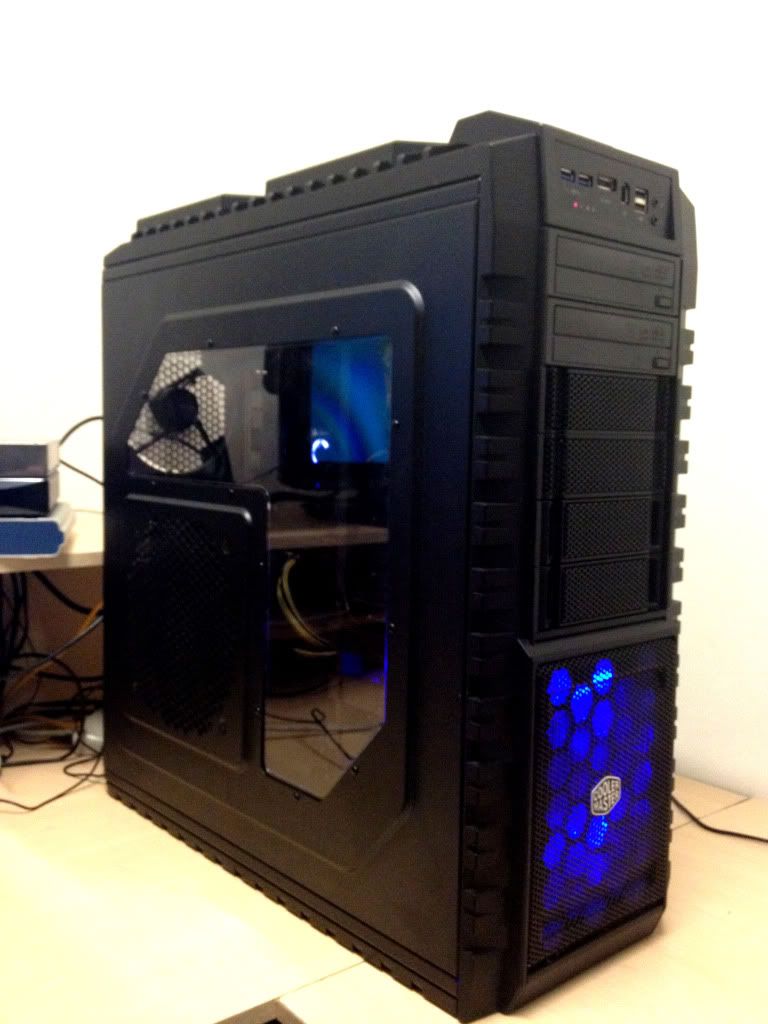
Cooler Master HAF X
Corsair HX1050W
Gigabyte X79-UD5
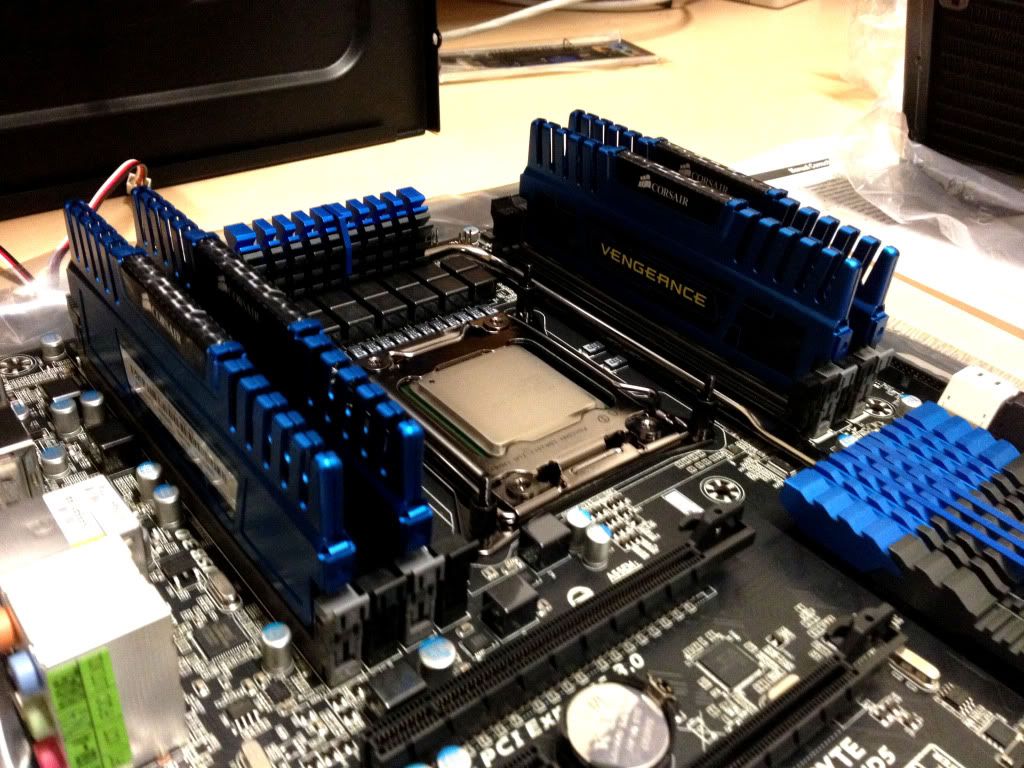
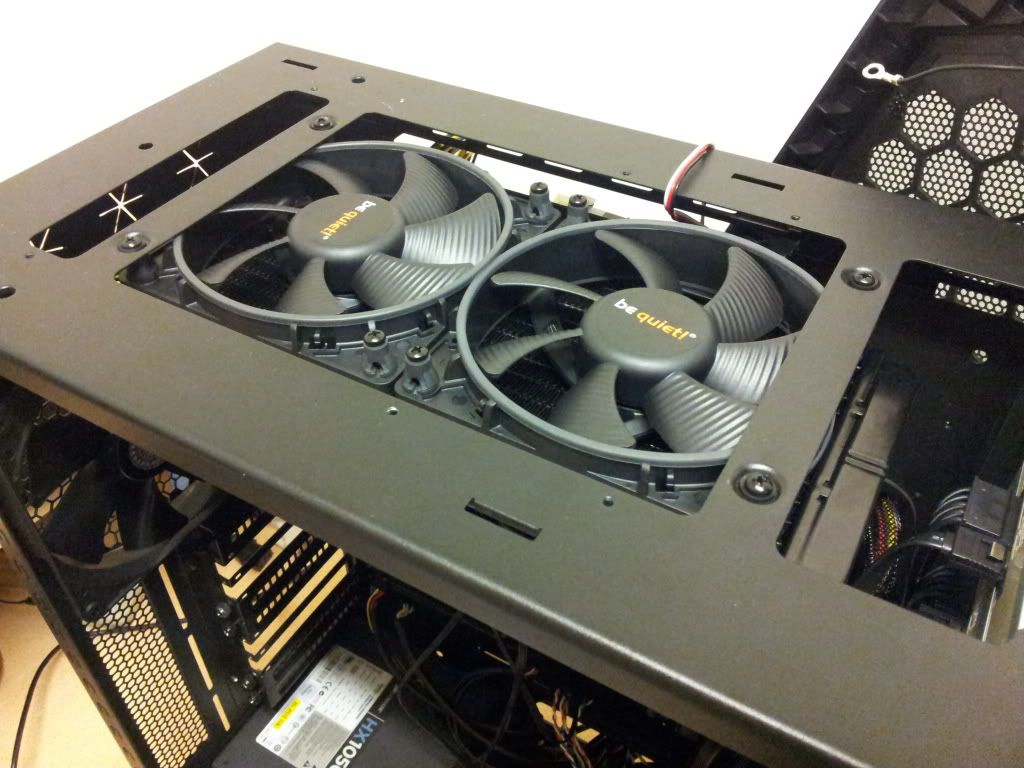
Intel i7 3930K & Corsair H100 (Push/Pull with 4x bequiet Shadow Wings)
16GB (4x4GB) Corsair Vengeance 1866Mhz
2x128GB Crucial m4 (RAID0)
1TB Seagate Barracuda (Media)
500GB WD Caviar (Backup & Games that don't fit on RAID)
160GB WD (Documents)
MSI Twin Frozr II GTX 570 (Had a second Gigabyte Windforce 570, was later tested as faulty but took credit note instead as I'm waiting for new cards)
2xSony DVDRW Drives (no need for bluray as I used the TV for that)
2 x 24" HD Iiyama ProLites
Razer Naga Epic
Logitech G510
Logitech X530 5.1 surround system
Plantronics Gamecom 777

Above spec was when it was built, check the side panel on 'My Systems' for the updates to it!


I had a few issues with install which have smoothed themselves out now, something was causing the motherboard to hang on installation of windows and when writing/reading large or multiple files from the RAID array.
I did manage a few benchmarks of the stock system vs the overclocked system though not so fussed on 3DMark scores as the GPU wasn't the main focus of the build.

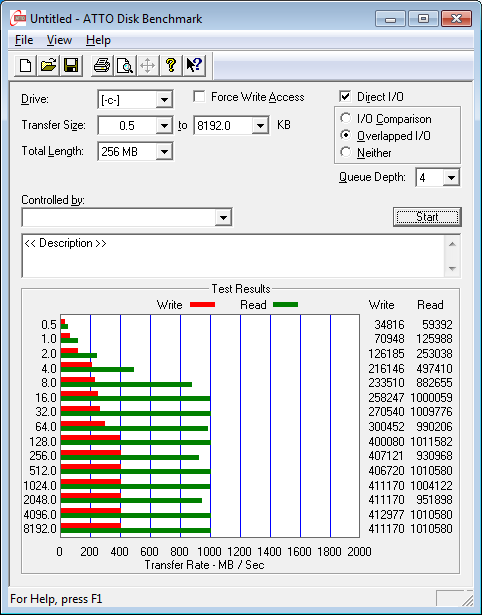
Peak read of 1010.58 MB/s and write of 413 MB/s

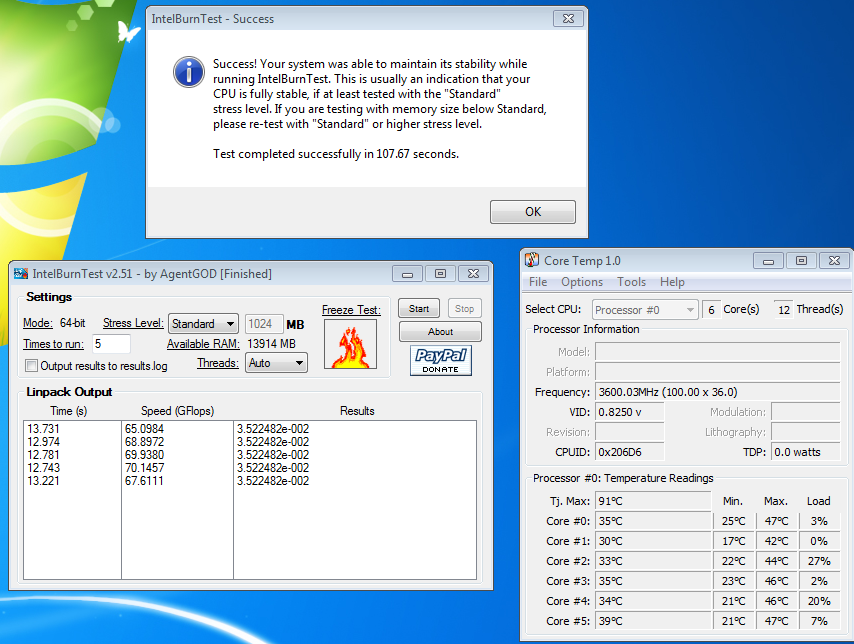
Intel Burn Test @ 70GFlops and an average of 45.3 degrees across cores

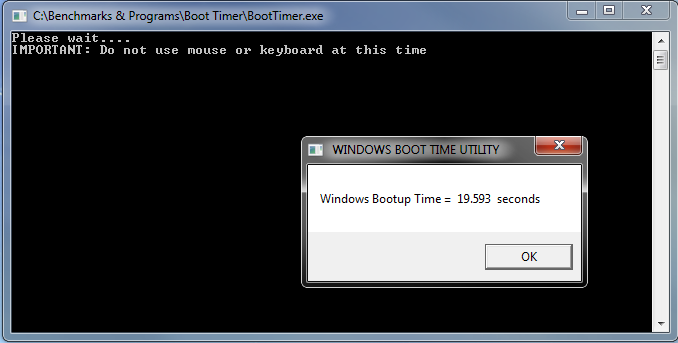
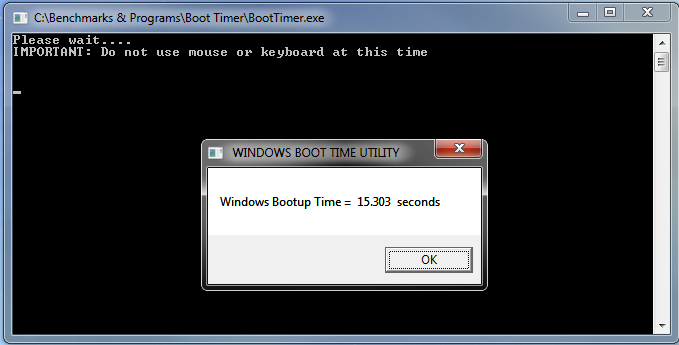
Boot Timer ran at 19.6 seconds

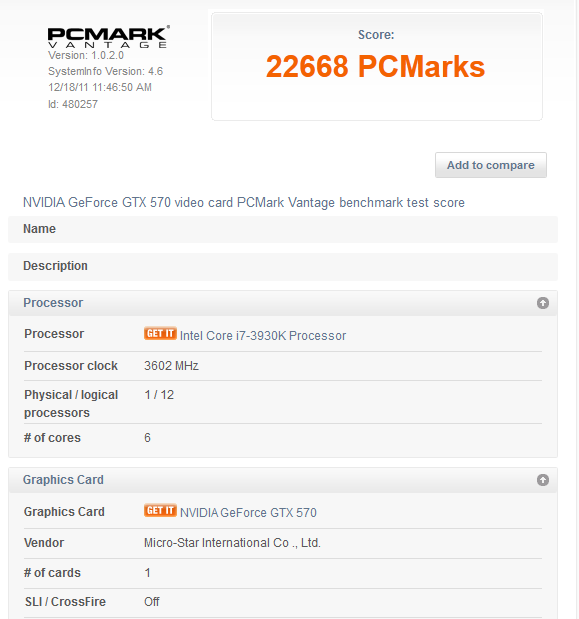
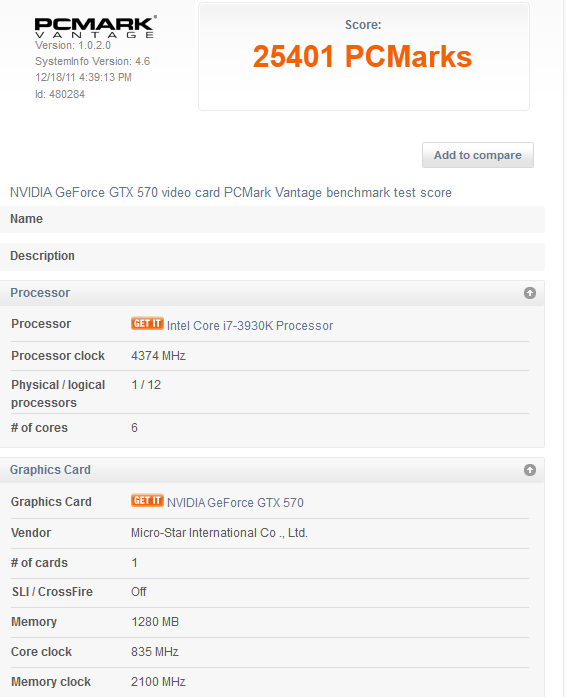
PCMark score of 22668

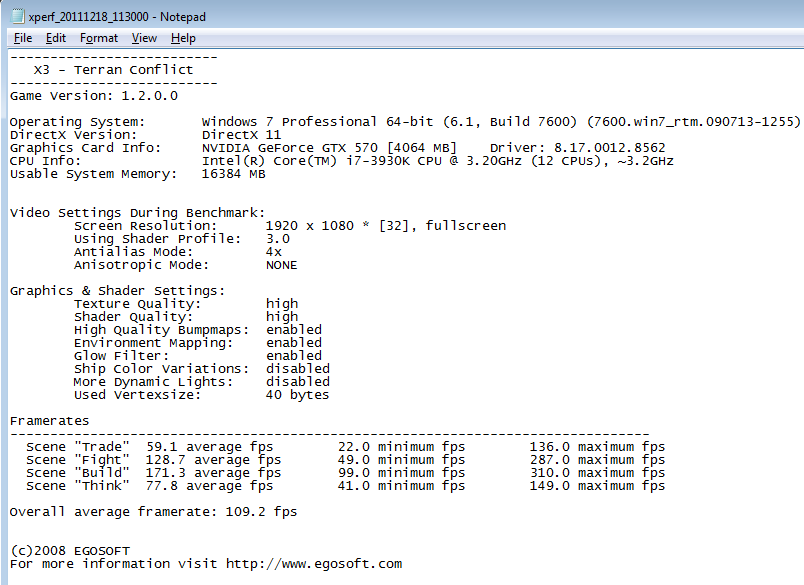
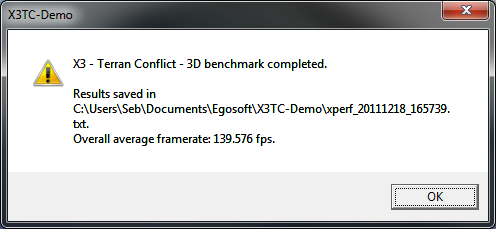
X3 TC @ 109.2fps

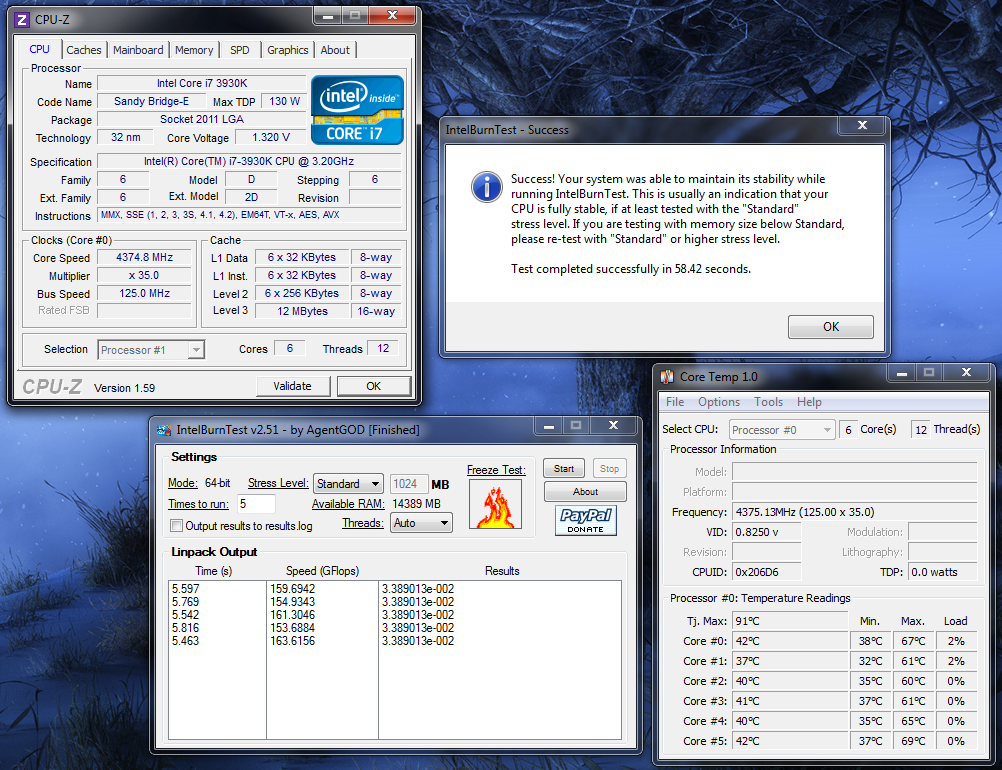
I had a quick tinker with the CPU and GPU clock settings and reached 835Mhz core on the GPU at stock voltage and 4.375Ghz on the CPU at 1.3V - I need to re-visit this as the motherboard needs a BIOS update as I'm two behind at the moment.

Intel Burn Test now showing 163.6 GFlops, an increase of almost 95
Average core temperatures were 63.8 degrees

Boot Timer cut by ~4.5 seconds

An increase of 2700 on PCMark, ~12%

X3 showed a large increase at 139.6fps, a 30fps increase

So far I'm fairly impressed with the system, it's very quick to respond, mainly down the RAID array having decreased load times massively. The system itself managed with everything I throw at it, the only downside currently being the GPU, while it's a great card, I'm looking forward to the new nVidia Kepler cards in a few months and comparing them to the current ones available from AMD.
I'll have another play with the overclocking when I get back to the UK and post up an update when I get round to it.